





CNOriginal
Orders from China — from placement to delivery

About the Project
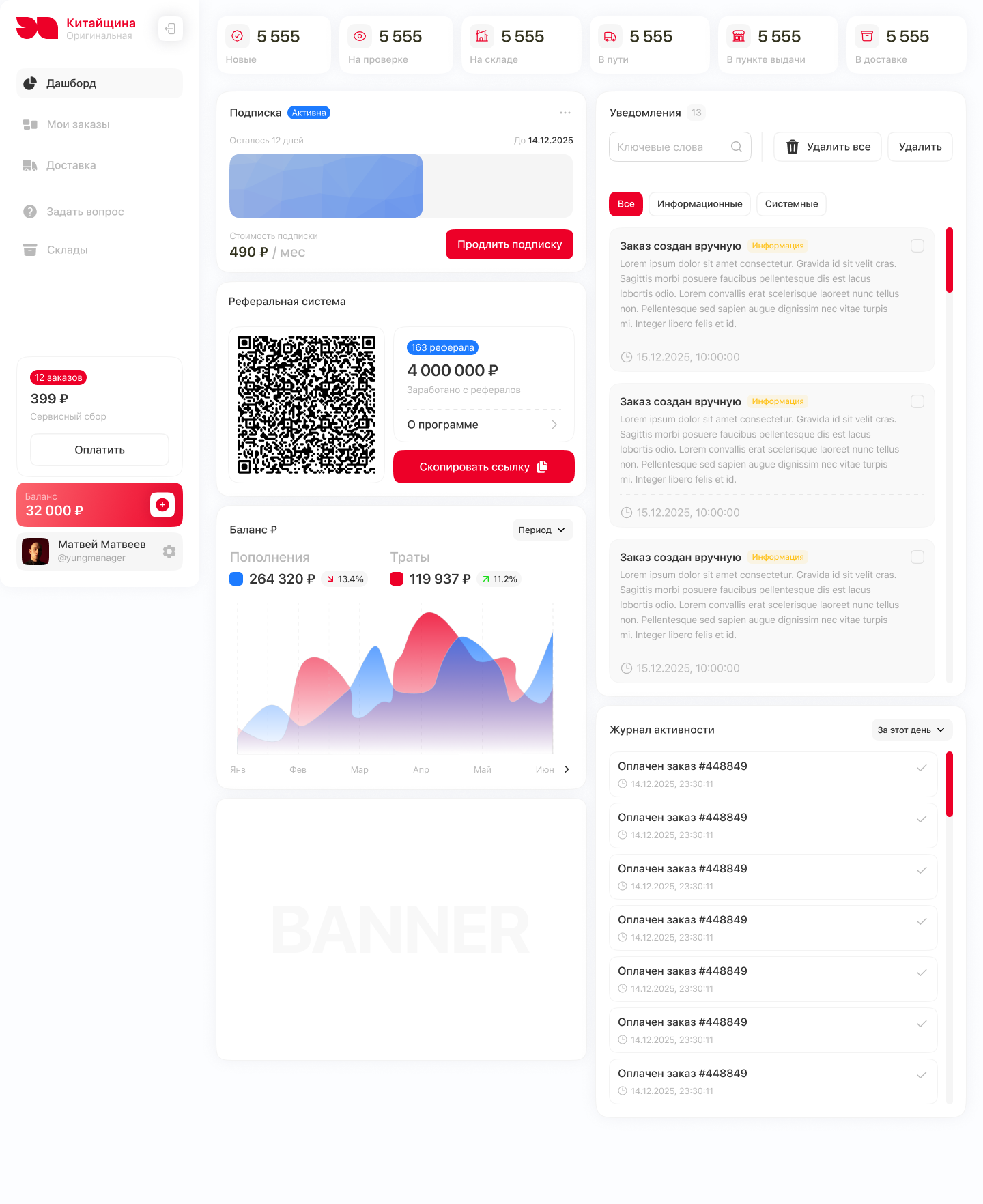
"Original China" is a service for ordering and delivering goods from China. The project consists of two parts: a website that introduces the service and a personal account for managing orders and shipments.
In the office, you can add product information, track its movement stages, consolidate multiple orders into one delivery, and specify the recipient. Separate sections are dedicated to balance, subscriptions, warehouses, and customs data.

Task
An order from China is not a single action. It requires providing information about the product, tracking its arrival and transportation, handling payment, and organizing delivery to the recipient.
The interface's task is to connect these stages into a clear process. It is important to show where the order is, what has already been paid, and what action is required next, while maintaining the ability to work with multiple shipments at once.
Orders: overview and details
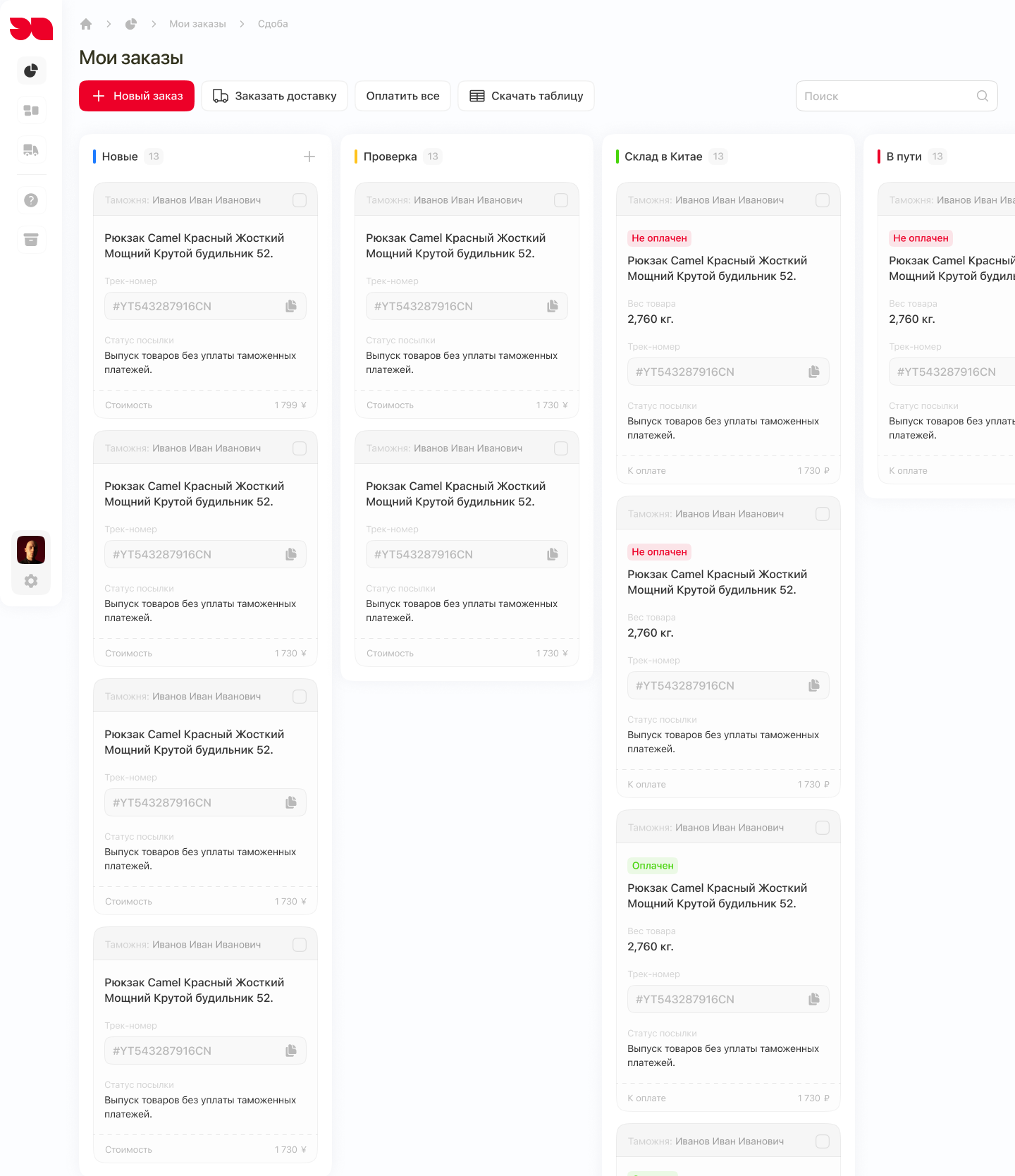
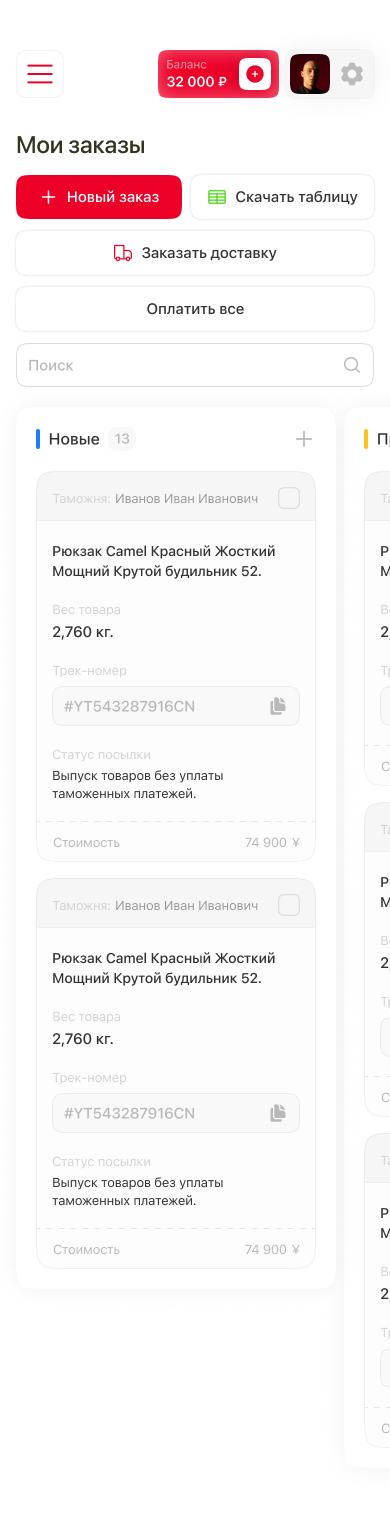
The foundation of the "My Orders" section is a board with statuses. Orders are categorized by stages: new, under review, warehouse in China, and in transit to the pickup point. The cards contain information about the product, tracking number, and cost. The payment mark is separate from the shipping stage: these are different characteristics of the order.
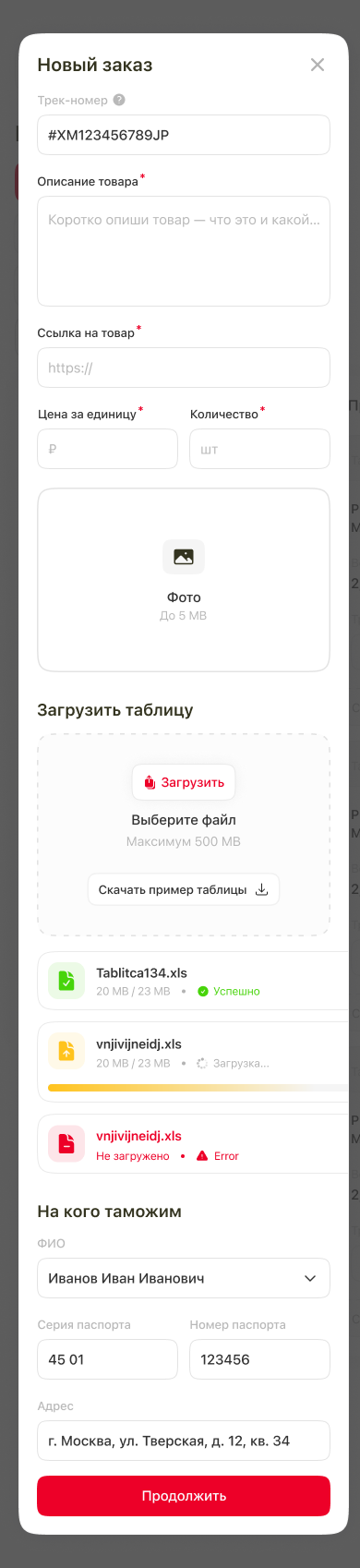
To add a product, there is a form with a description, link, quantity, price, and photo. For the order list, there is an option to upload a table with a ready-made example for filling out. The import process has separate states: uploading, successful completion, error, and partial file processing.
Multiple orders - one delivery
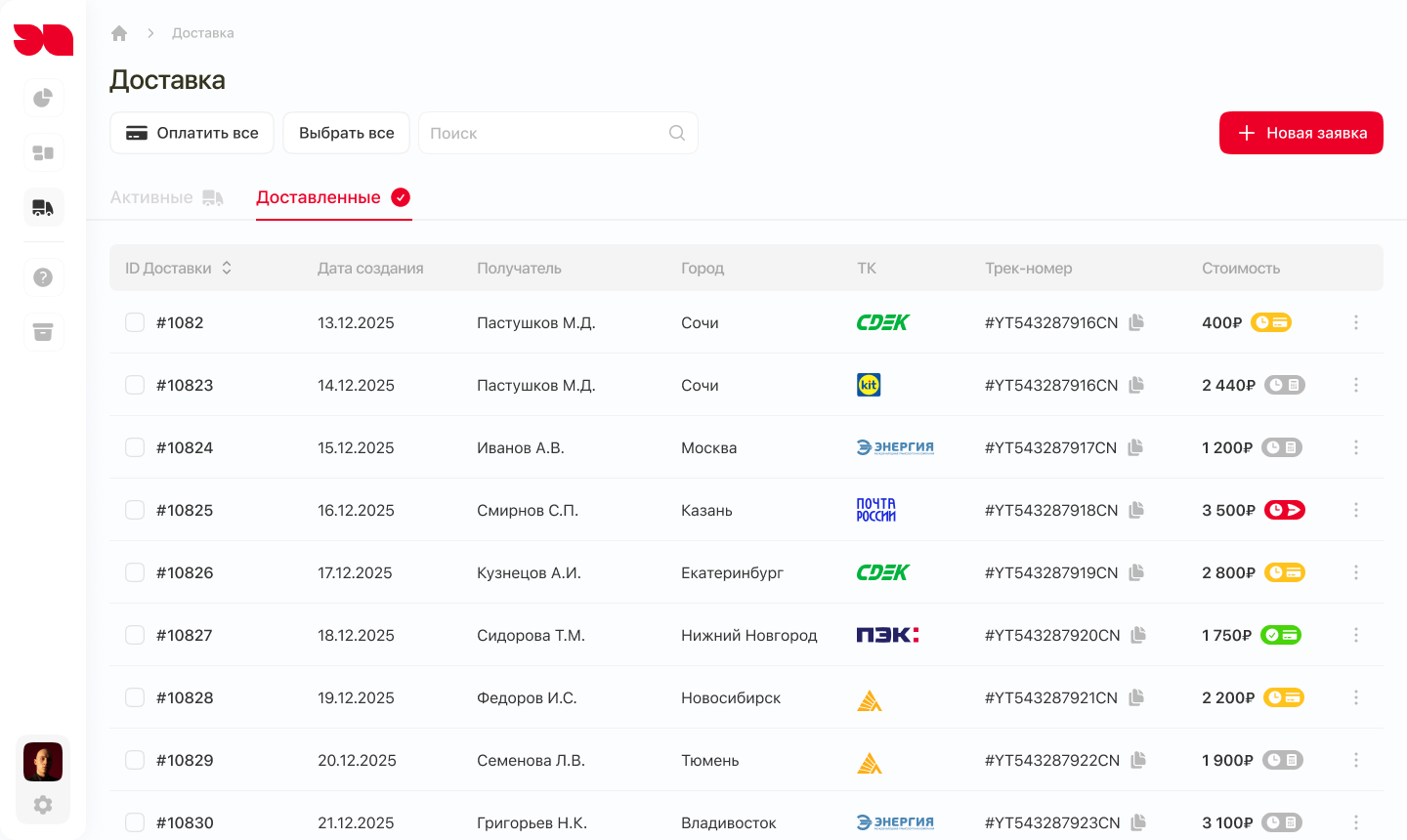
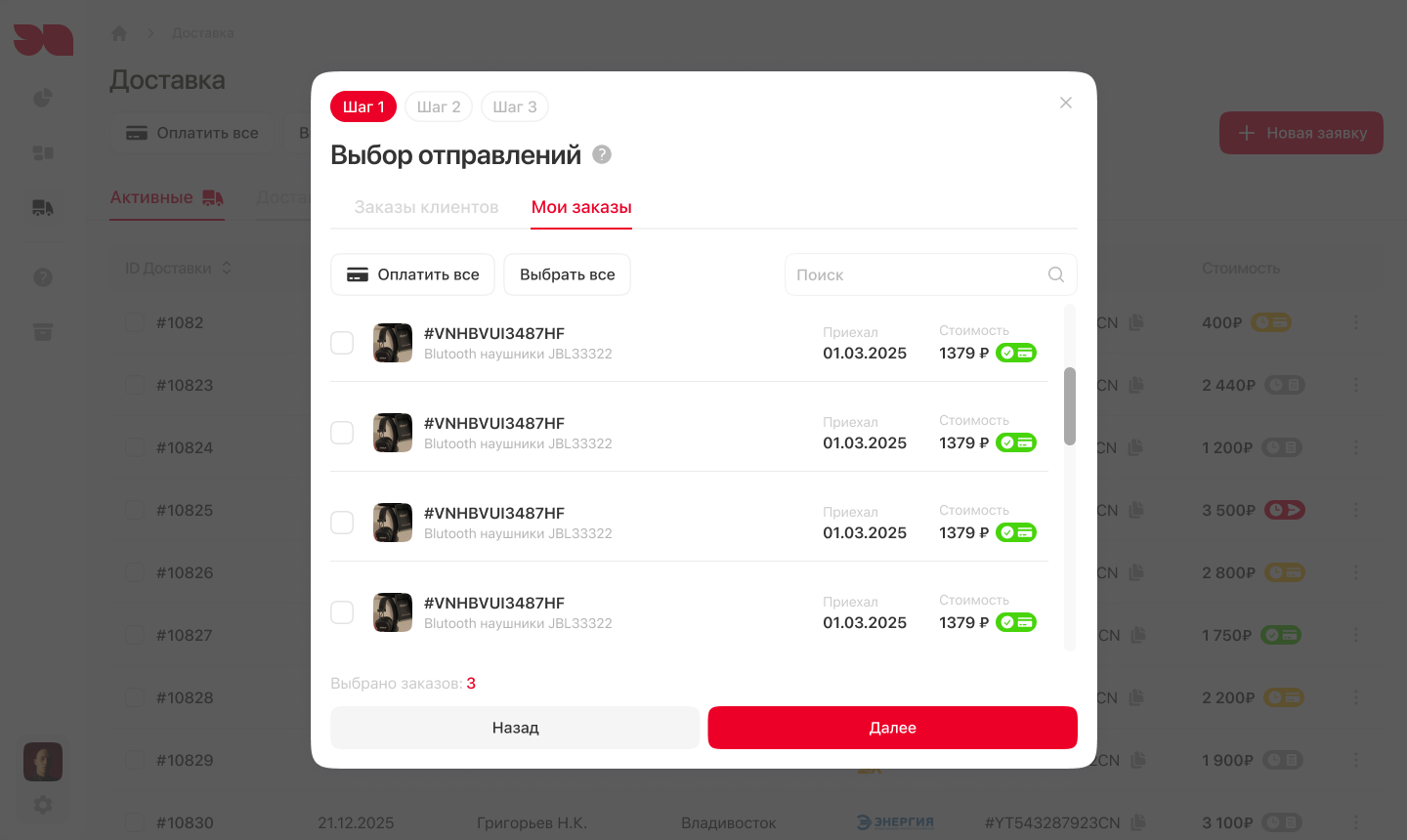
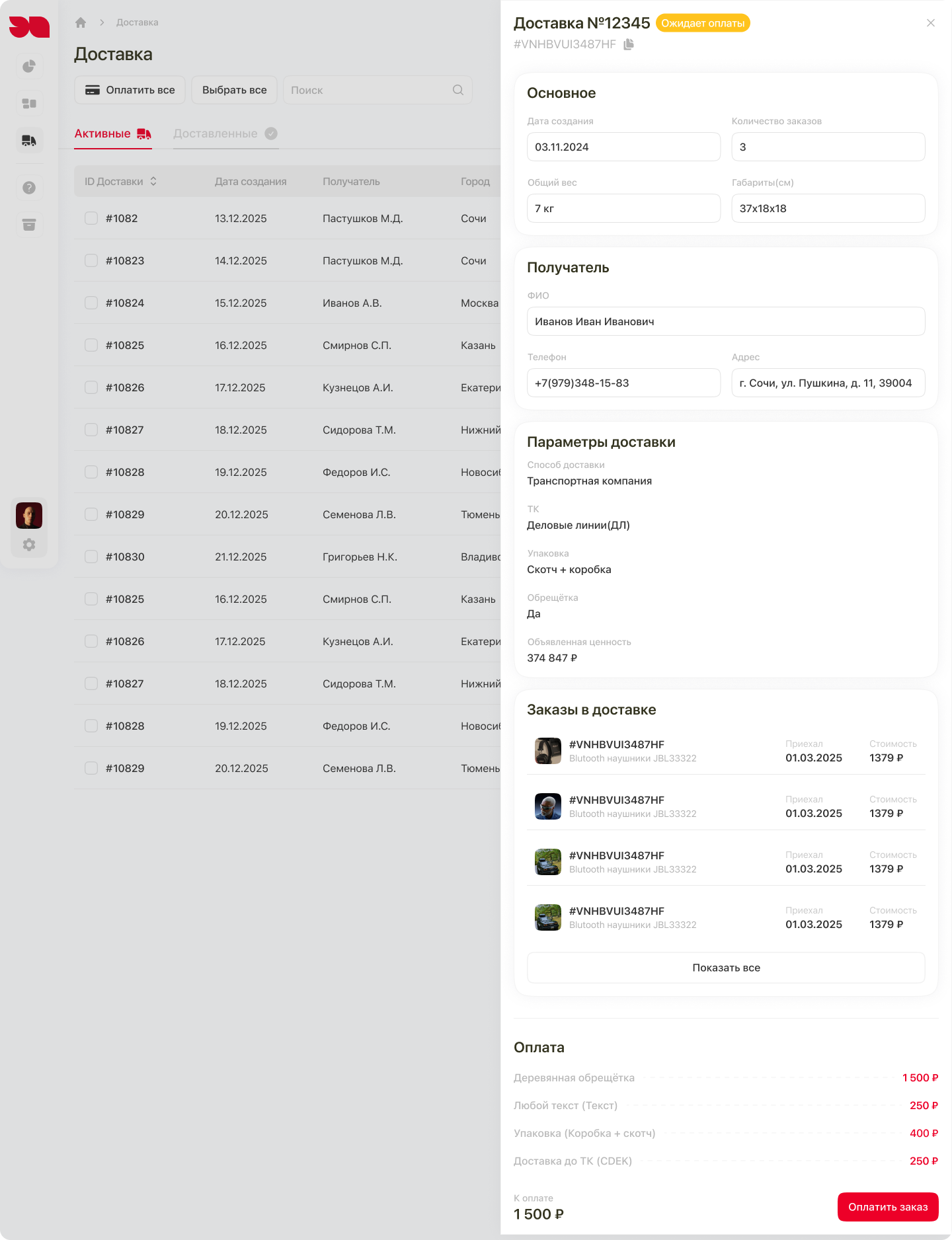
In the interface, the order and delivery are separated. The order holds information about the product, while the delivery request combines selected orders and their shipping parameters to the recipient.
The checkout process is divided into three steps. First, the user selects the shipments. Then, they specify the recipient, address, delivery method, packaging, and declared value. Finally, they review the collected data and confirm the request.
Recipient data can be taken from the profile. At the final step, there is an option to return to editing before the delivery is finalized.
Mobile version
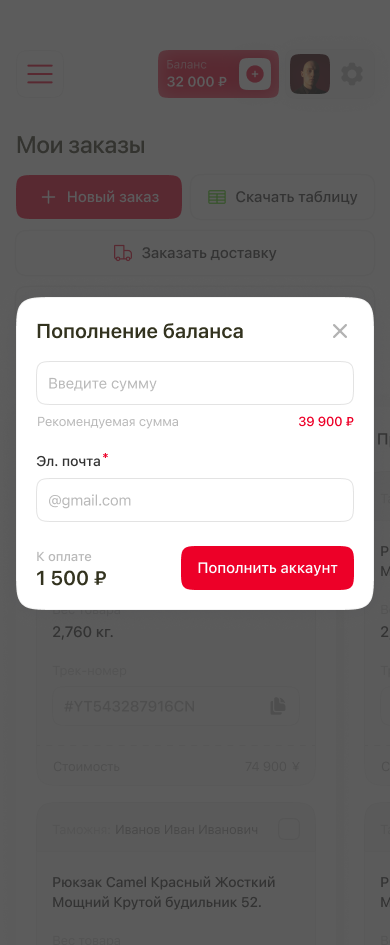
Mobile mockups have been prepared for the main scenarios: working with orders, arranging delivery, topping up the balance, and managing the profile.
One example of adaptation is the delivery list. On a large screen, it is a table; on a smartphone, it is expandable cards. In the collapsed view, the number and status indicators are visible, while details about the recipient, carrier, and cost are opened within the selected request.

Summary
The design covers the journey from getting acquainted with the service to arranging and tracking delivery. The landing page explains the service, while the personal account consolidates orders, shipments, payments, and recipient data in one structure.
The project includes desktop and mobile mockups, main scenarios, and additional states for forms, file uploads, and payments.